Back to work

TokoSmart

TokoSmart is a research app commissioned by the World Bank Group to study digital financial literacy among warung owners, Indonesia’s neighbourhood shops. It gives an owner stock, sales, expenses, reports and an AI assistant on one phone, in Bahasa Indonesia or English. I designed the whole app: 47 screens across ten flows, inside a four-week, fixed-deadline delivery.

Overview

Type
Research app · Inventory & price-costing
Client
World Bank Group, via Xopolis
Role
Designer, flows to final UI
Platform
Android (React Native)
Languages
Bahasa Indonesia · English
Year
2025
Status
Delivered

At a glance

Challenge

Design for small-shop owners who read Bahasa Indonesia first, often on unreliable connections, inside a research protocol: a consent flow fit for an ethics review, offline and loading states as first-class screens, and a four-week window that could not move.

World Bank Group · Indonesia

Run the shop
from one phone.

TokoSmart AI assistant
~400participants
TokoSmart splash screen
1.1Splash
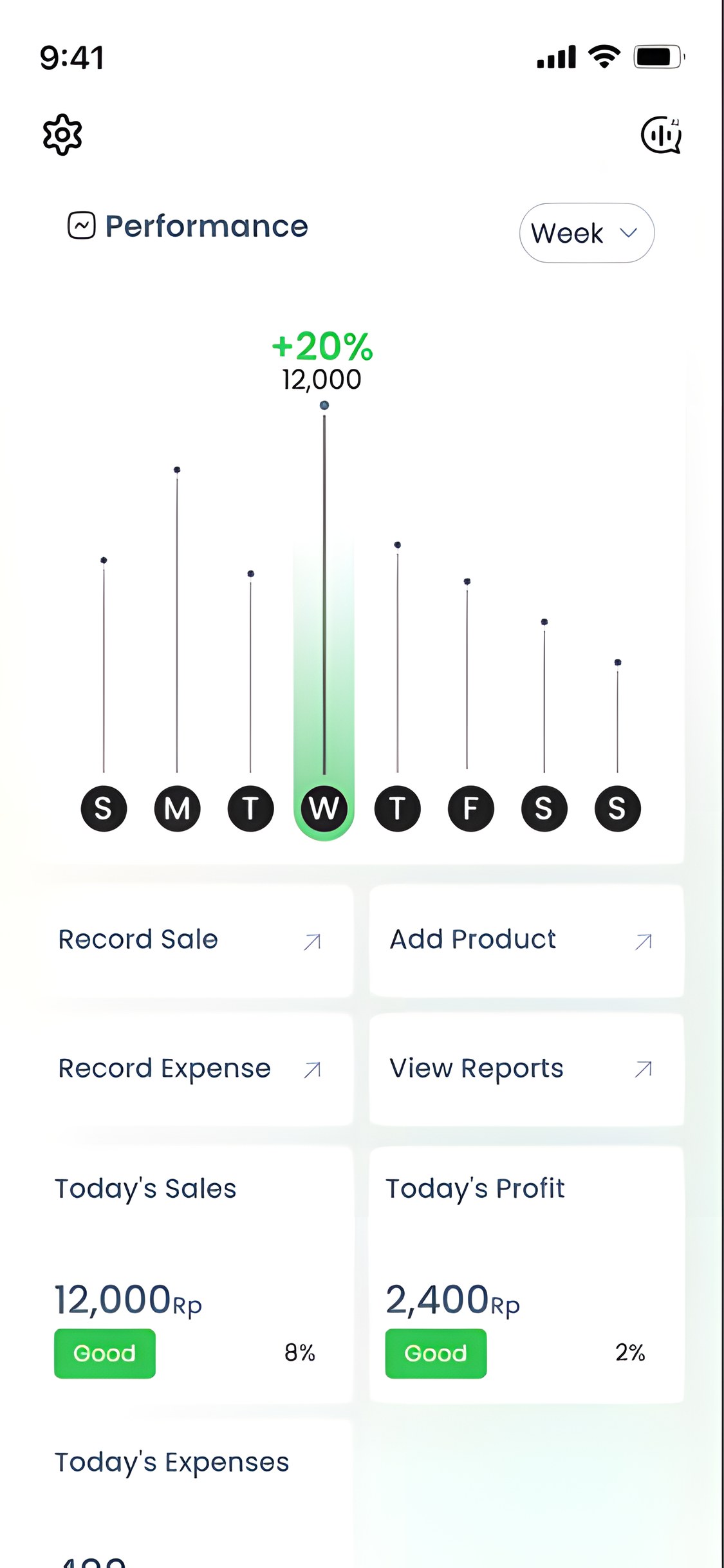
TokoSmart dashboard
1.2Dashboard
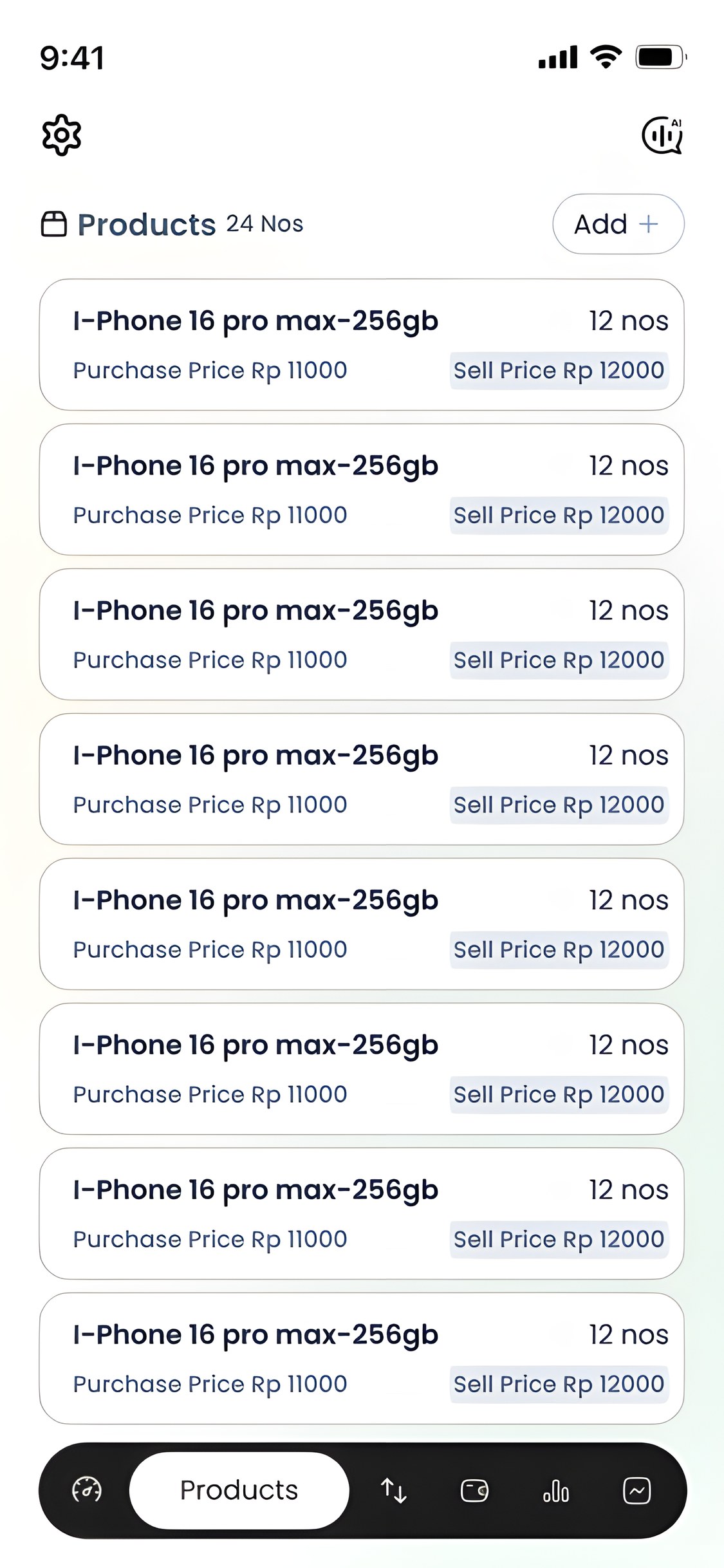
TokoSmart product list
1.3Products
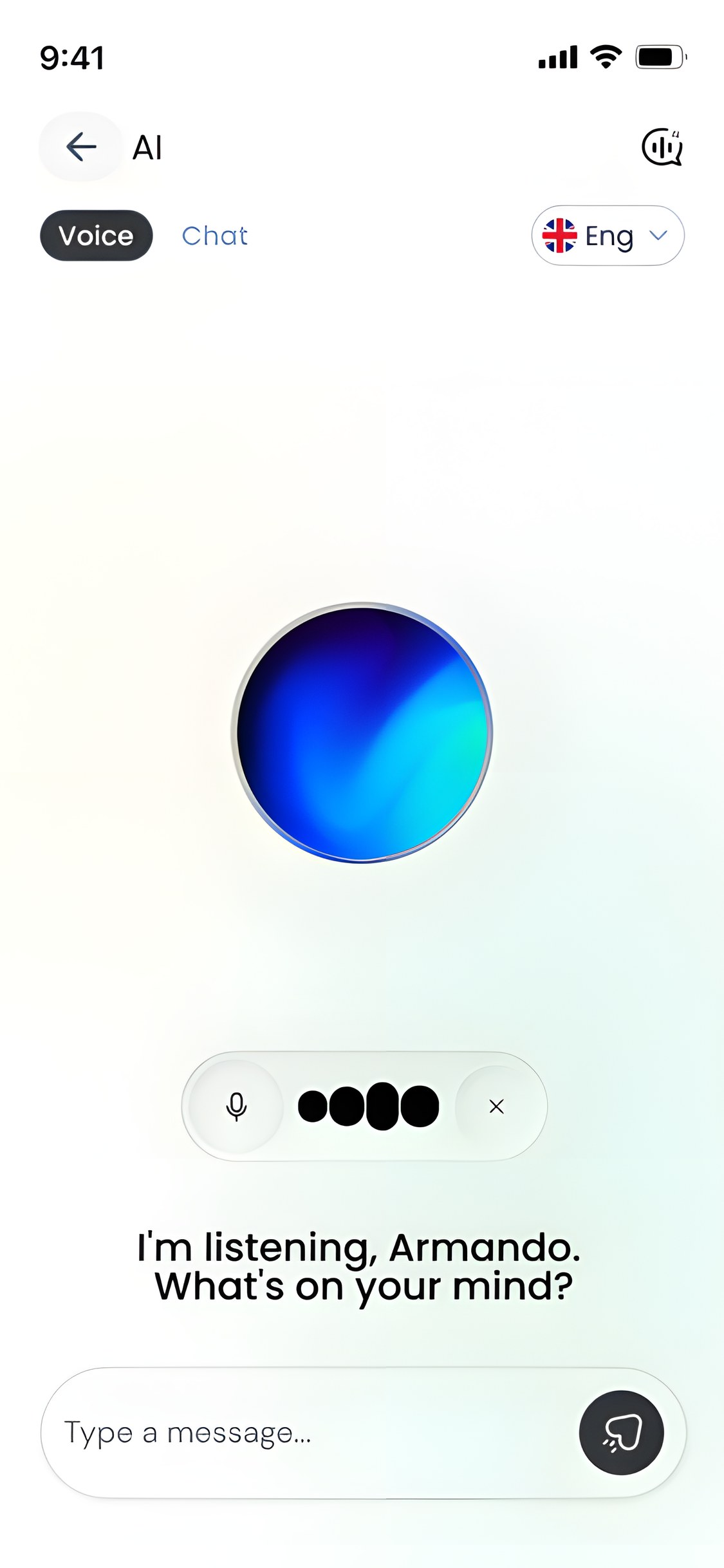
TokoSmart voice AI assistant listening
1.4AI assistant

How it was built

World Bank Group · Research app · 2025

Simple enough for the shop floor.

Built for owners running a warung between customers, often on a weak signal: big numbers, one action per screen, and nothing that breaks when the connection does.

  • Screens47 in 10 flows
  • PlatformAndroid
  • LanguageBahasa · English
  • Window4 fixed weeks
01

Context

A research app first: three partners, one consent protocol, and a date set by the study.

World Bank Groupresearch sponsor and data owner
Xopolisoperator, building the app
Ipsos Indonesiafield partner, managing participants
01Four fixed weeks

Set by the research protocol, not a contract. Scope flexed; the date did not.

02Consent and privacy

An approved consent protocol and two data-protection regimes at once. Consent had to be a designed flow, not a checkbox.

03Patchy connections

Shops with unreliable signal: offline and loading states are screens in their own right.

04Bahasa first

Built for Indonesian owners: every label, message and the AI assistant work in Bahasa Indonesia as well as English.

1.1Partners and constraints

02

Architecture

Six tabs grouped by the four jobs a shop owner does, all under one dashboard.

Information architectureJobScreen
SplashConsent & log in
Dashboard
Stock4 areas
  • Add products
  • Inventory list
  • Item actions
  • Low stock
Money4 areas
  • New sale
  • Sales history
  • Add expense
  • All expenses
Insight3 areas
  • Dashboard
  • Reports
  • Simulation
Assistant3 areas
  • AI voice
  • AI chat
  • Settings

2.1Four jobs under one dashboard

  1. 01Add item06.01
  2. 02Cart06.02
  3. 03Summary06.03
  4. 04Complete06.04
  5. 05History06.05

2.2Record a sale · five screens, item to history

03

Design system

Monochrome so the numbers do the talking; colour only to say good, low or done.

Ink#1B1B1B · buttons, tab bar
Slate 900#0F172A · headings
Slate 600#475569 · body
Success#27C840 · good, complete
Alert#FF5F57 · low stock

3.1Palette

Low Stock Products

Title · Poppins 24 SemiBold

Today’s Sales

Label · Poppins 16 Medium

Add your shop name and address.

Body · Poppins 14 Regular

3.2Type · Poppins, one family · 67 components

04

Language

For Indonesian shop owners, Bahasa Indonesia is not a setting buried in a menu. It is where the app starts.

01.02 · 02.01 · 03.01From the first screen

The welcome, log-in and shop-setup screens carry the language switch in the top corner, before an account exists.

10.03In Settings

A Language page lets an owner change it any time, without logging out.

09.02 · 09.04Spoken and typed

The AI assistant has its own language switch, so an owner can ask by voice or chat in Bahasa or English.

4.1Two languages, one switch

05

Every state

With no second pass coming, the screens that usually wait were designed first.

Empty02.01 · 03.01 · 07.01
Filled02.02 · 03.02
Consent02.06
Loading skeleton07.03
Offline09.06
Setting up09.01
Success06.04
Low stock05.08
All stocked05.10

5.1States, by screen number in the Figma file

Inventory list
5.2Inventory list
AI · listening
5.3AI · listening

Designed in a sprint.
Built for the shop floor.

What I did

Designed the whole app (47 screens across ten flows, from the consent flow to the AI assistant) and the component library the team built it from.

What the deadline taught

At four fixed weeks, the states that usually wait (loading, offline, empty) were designed up front, because there would be no second pass.

Where it went

Stage 1 launched on time to around 400 participants, and the research ran on the app as designed.